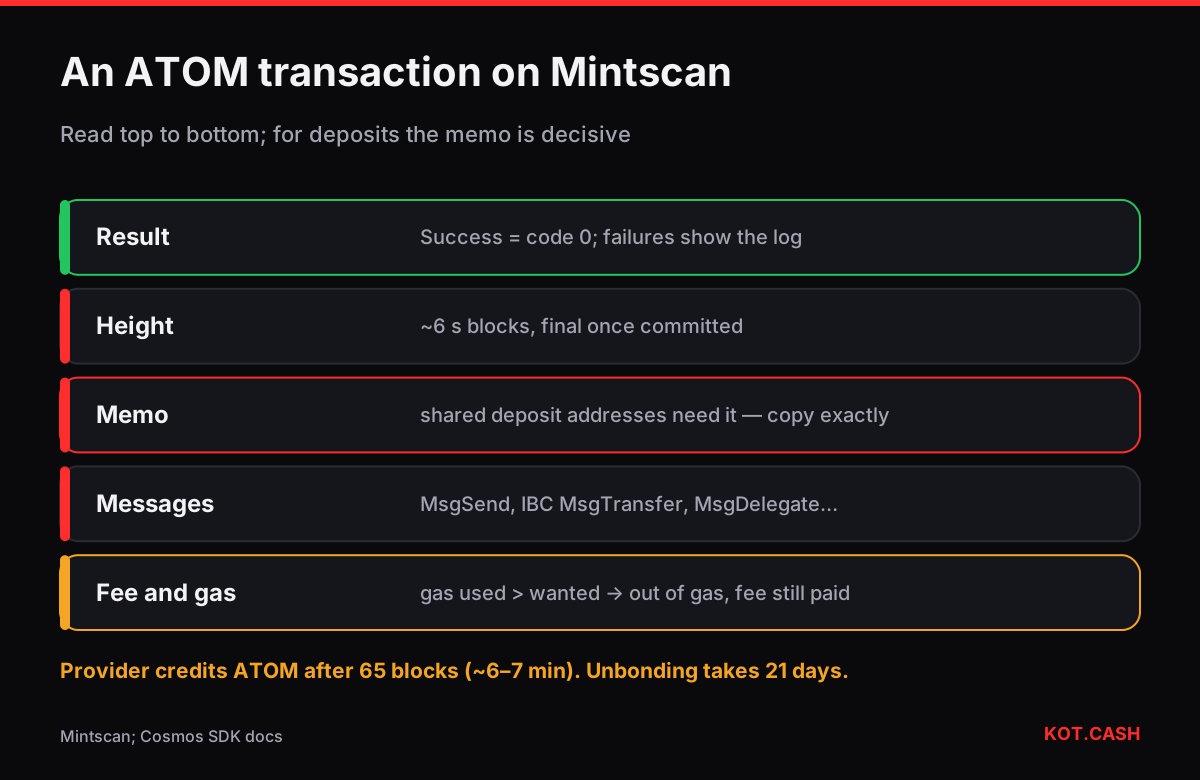
Mintscan, run by Cosmostation, is the explorer most people use for the Cosmos Hub and dozens of other Cosmos SDK chains. To check an ATOM transfer, open mintscan.io/cosmos and paste the transaction hash (64 hex characters, usually shown in uppercase) or a cosmos1… address. On the transaction page the essentials are the Result (Success means code 0), the Memo field, the Messages list — a MsgSend for a plain transfer — and the Fee in ATOM. For exchange and swap deposits, the memo is the field that decides whether you get credited.
What the transaction page contains
A Cosmos transaction is a signed envelope with one or more messages, a memo, a fee and a gas limit. Mintscan lays it out in that order.
- Chain and height — Cosmos Hub blocks come roughly every 6 seconds, and Tendermint-style consensus makes a committed block final immediately; there are no reorganisations of committed blocks.
- Result — Success, or Failed with a code and log line such as 'insufficient funds' or 'out of gas'.
- Fee — in uatom on the raw level (1 ATOM = 1,000,000 uatom), shown in ATOM on the page.
- Gas (used / wanted) — wanted is the limit you set, used is what was consumed. If used exceeds wanted, the transaction fails with out of gas and the fee is still charged.
- Memo — free text up to 256 characters attached by the sender.
- Messages — the actions inside, each with sender, recipient and amount.
The memo: small field, big consequences
Exchanges and swap services receive ATOM at a shared address and use the memo to identify the depositor. A deposit without the memo arrives at the right address but is not credited automatically. On the provider's network list ATOM is marked as requiring a memo for shared deposit addresses, and the memo and tag checker shows which other networks work the same way. If you forgot it, do not resend — contact the receiver with the hash; recovery steps are in the memo and destination tag guide.
Message types you will meet
| Message | What it does |
|---|---|
| MsgSend (bank) | Plain transfer of ATOM or another denom on the same chain |
| MsgTransfer (IBC) | Sends tokens to another chain through an IBC channel |
| MsgDelegate | Stakes ATOM with a validator |
| MsgUndelegate | Starts unbonding; on the Cosmos Hub it takes 21 days |
| MsgWithdrawDelegatorReward | Claims staking rewards |
| MsgVote | Votes on a governance proposal |
IBC transfers: two chains, two pages
An IBC transfer appears as MsgTransfer on the sending chain, with a source channel such as channel-141 and a receiver address on the destination chain (osmo1…, neutron1… and so on). The tokens then show up on the destination chain in a separate transaction relayed by an IBC relayer, usually within a minute. Mintscan links the two through the packet details. If the destination never receives it, the packet may time out and the tokens return to the sender automatically. On the destination chain, IBC tokens are shown with an ibc/… denomination hash rather than the plain ATOM name.
Account page and staking
A cosmos1… address page shows available, delegated, unbonding and reward balances separately. If you cannot send ATOM you can see on the wallet, check the unbonding section: those tokens are locked for 21 days after MsgUndelegate. The staking unbonding period lookup compares ATOM's 21 days with other networks.
Checking an ATOM deposit to a swap
- Copy the hash from your wallet and open it on Mintscan.
- Confirm Result: Success, a MsgSend to the deposit address shown on the order page, the full amount and the memo exactly as shown on the order page.
- The KOT.CASH provider credits ATOM after 65 blocks, about six to seven minutes; the order page then moves to processing.
- For an ATOM payout, the order page shows the payout hash; the payout goes to your own wallet address, which does not need a memo.
If you have a hex hash and are unsure of the chain — Cosmos, Bitcoin-family coins and others all use 64 hex characters — the transaction hash identifier lists the candidates.
FAQ
Do ATOM transfers need a memo?
Only to shared addresses such as exchange or swap deposits. Your own wallet address does not.
How fast is an ATOM transfer final?
Cosmos Hub blocks come about every 6 seconds and are final once committed. The KOT.CASH provider waits 65 blocks before crediting.
What does 'out of gas' mean on Mintscan?
The transaction used more gas than its limit. It failed, and the fee was still charged.
Why does my ATOM show as ibc/… on Osmosis?
Tokens moved by IBC are represented on the destination chain by a denomination hash that encodes their path.
How long does unstaking ATOM take?
21 days on the Cosmos Hub, during which the tokens earn no rewards and cannot be moved.