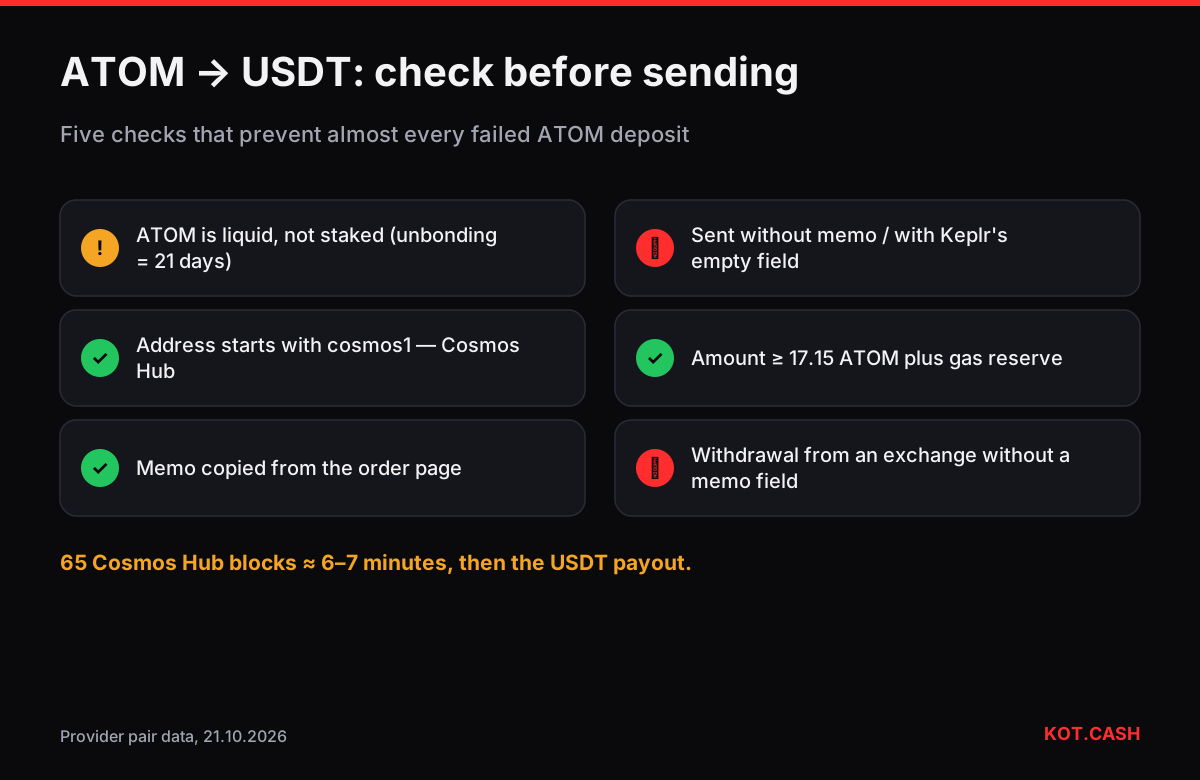
To swap ATOM to USDT, send liquid (not staked) ATOM on the Cosmos Hub to the deposit address on the ATOM to USDT page, include the memo the order page shows, and receive USDT on the network you choose. The minimum right now is about 17.15 ATOM, the provider waits for 65 Cosmos Hub blocks — around six to seven minutes — and the memo is the single detail that most often goes wrong.
Before you start: is your ATOM staked?
Most ATOM holders stake through Keplr, Leap or an exchange. Staked (delegated) ATOM cannot be sent. Undelegating starts a 21-day unbonding period on the Cosmos Hub, during which the coins earn nothing and cannot be moved. Only after it ends do they become part of your available balance.
Redelegating to another validator is instant but does not free the coins. If you need USDT sooner than three weeks, the only route is to sell liquid ATOM you already have. The unbonding period lookup lists the waits for other proof-of-stake coins too.
Checklist before you press Send
- Available balance covers the amount plus gas. Cosmos Hub fees are paid in ATOM; Keplr's default is a few thousandths of an ATOM. Do not send to the last uatom.
- Network is Cosmos Hub. Your address starts with
cosmos1. Addresses starting withosmo1,inj1orcelestia1belong to other chains, even though they come from the same seed phrase. - The memo is copied from the order page. The deposit address is shared; the memo tells the provider which order your coins belong to.
- The amount is above the minimum. About 17.15 ATOM now; deposits below it cannot be processed as a normal swap.
- One transaction. Do not split the deposit into several sends.
The memo, in detail
On Cosmos chains the memo is a free-text field attached to a transaction. Your own wallet does not need one to receive, which is why it is easy to forget. Exchanges and swap services share one deposit address among many users and match deposits by memo. In Keplr the field is labelled Memo (Optional) — for this deposit it is not optional.
If you sent without a memo or with a wrong one, do not send again. Contact support with the order link, the transaction hash and the time. The coins are not lost, but matching them manually takes longer. The memo and tag checker shows which other coins work the same way, and the memo guide covers recovery.
Withdrawing ATOM from an exchange via IBC
Some exchanges offer ATOM withdrawals on several networks, including Osmosis or other IBC-connected chains. Choose the Cosmos (ATOM) network. Also check whether the exchange's withdrawal form has a memo field: if it does not, you cannot send directly to a memo deposit — withdraw to your own Keplr wallet first, then send from there with the memo.
Gas on the Cosmos Hub, in numbers
Cosmos fees are gas × gas price, paid in uatom (one millionth of an ATOM). A simple bank send uses roughly 80,000–100,000 gas, and wallets set a gas price around 0.005–0.025 uatom per unit depending on the speed you pick — a fee of a few thousand uatom, well under a cent of a dollar. If Keplr shows an 'insufficient fees' error, the gas price is below the minimum the validators accept; choose the Average or High option instead of Low.
Adding a memo does not change the fee noticeably. The memo has a length limit (256 characters on the Cosmos Hub), far more than any deposit memo needs.
Checking the deposit on Mintscan
Paste your transaction hash into Mintscan's Cosmos Hub explorer. The page shows Result: Success, the amount, the recipient and the Memo line. Compare the memo character by character with the order page. If the transaction failed — for example out of gas — the fee is charged but the ATOM stays in your wallet, and you can simply send again to the same order while it is open.
Timing and cost
| Item | Value |
|---|---|
| Minimum | ≈ 17.15 ATOM |
| Confirmations | 65 Cosmos Hub blocks |
| Block time | ≈ 6 s |
| Provider processing estimate | 6–8 min |
| TRC20 payout network fee | ≈ 1.3 USDT |
| Service fee | 1% floating / 1.5% fixed |
Cosmos Hub blocks are final the moment they are committed — CometBFT does not have forks the way proof-of-work chains do. The 65-block wait is the provider's safety margin. Once the USDT payout is sent, the order page shows its hash; look it up in the explorer of the payout network.
FAQ
Do I need a memo to send ATOM to the swap?
Yes. The order page shows the deposit address and a memo; enter both. Without the memo the deposit cannot be matched automatically.
How long does unstaking ATOM take?
21 days on the Cosmos Hub. During unbonding the coins do not earn rewards and cannot be sent.
What is the minimum ATOM for the swap?
About 17.15 ATOM at the time of writing. The widget shows the current minimum.
How long does ATOM to USDT take?
About 6–7 minutes for 65 blocks plus processing and the USDT payout — typically 10–15 minutes in total.
Can I send ATOM from Osmosis?
Only as ATOM on the Cosmos Hub. ATOM sitting on Osmosis is an IBC voucher; transfer it back to your cosmos1 address via IBC first.