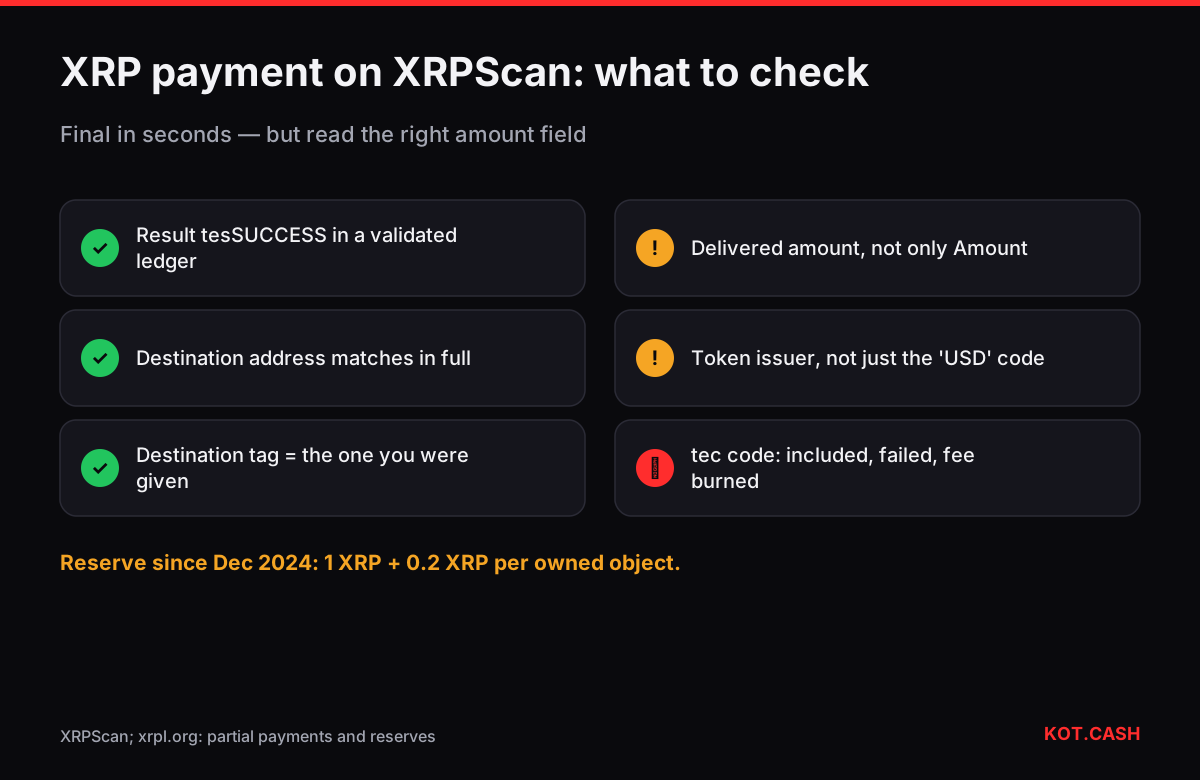
XRPScan (xrpscan.com) is a popular explorer for the XRP Ledger. To check a payment, paste the transaction hash or an r… address. On the transaction page confirm four things: the result is tesSUCCESS, the ledger is validated, the destination tag is the one you were given, and the delivered amount — not just the Amount field — is what you expected. That last point is specific to XRP and is the reason exchanges look at delivered_amount.
Checklist for an XRP payment
- Result: tesSUCCESS. A
tec…code means the transaction was included but failed and only the fee was burned; see XRP account not activated for the common ones. - Validated ledger. XRP Ledger closes a ledger every 3–5 seconds; once validated, the result is final. The KOT.CASH provider credits XRP after 1 validated ledger.
- Destination and destination tag. The tag is a number that identifies the recipient's account at a shared address. A missing or wrong tag is the most common reason an exchange does not credit XRP.
- Delivered amount. The amount that actually arrived. It can be smaller than the Amount field.
- Fee. Usually 0.00001–0.0001 XRP; it is destroyed, not paid to anyone.
Why delivered amount matters
The XRP Ledger supports partial payments: a payment with the tfPartialPayment flag may deliver less than its Amount field, for example when paying in a token through an order book. Some scams used this to fake large deposits to services that read only Amount. The rule for anyone receiving XRP or tokens: rely on delivered_amount (XRPScan shows it as Delivered). For plain XRP-to-XRP payments the two are equal; for token payments always check.
The account page
An account page shows the XRP balance and, importantly, how much of it is locked by the reserve: 1 XRP base plus 0.2 XRP per owned object since December 2024. XRPScan lists the objects — trust lines, offers, escrows, NFTs — so you can see why the reserve is what it is. The XRP reserve calculator shows the spendable balance for any number of objects.
- Activated by — the account that funded this one first, often an exchange hot wallet. Useful to identify where an address came from.
- Flags — for example Require Destination Tag, which makes the ledger reject payments without a tag (tecDST_TAG_NEEDED).
- Assets / trust lines — tokens the account holds and their issuers. A token named USD from an unknown issuer is not the same as an established stablecoin like RLUSD.
- Transactions — full history, filterable by type.
Also check the Destination Tag field on the account settings of a service before you pay: if Require Destination Tag is set, a payment without a tag is rejected by the ledger itself with tecDST_TAG_NEEDED, which is a cheap failure. If it is not set, a forgotten tag is accepted and the funds have to be matched manually, which is slow.
Hashes and how to find them
Escrows, AMM pools and other transaction types
Not every XRP Ledger transaction is a Payment. On XRPScan you will also meet OfferCreate (orders on the built-in exchange), TrustSet (adding a trust line), EscrowCreate and EscrowFinish (time-locked XRP), AMMDeposit and AMMWithdraw for the ledger's automated market maker pools, and NFTokenMint. Each has its own fields; the result code works the same way. When an account seems to have less spendable XRP than expected, look for escrows and open offers: escrowed XRP is not spendable until the escrow finishes, and every offer adds 0.2 XRP to the reserve.
XRP Ledger transaction hashes are 64 hexadecimal characters, usually shown in uppercase. Wallets such as Xaman show them on the transaction detail screen. If you have only a hex string and are not sure which network it belongs to, the transaction hash identifier lists XRP Ledger among the candidates when the format fits. The official XRPL Explorer (livenet.xrpl.org) and Bithomp show the same data with a different layout.
Paying a swap order in XRP
On a KOT.CASH order paid in XRP, the order page shows the deposit address and a destination tag; both must be used, and the memo and tag checker explains why. After sending, open the hash on XRPScan and confirm tesSUCCESS, the destination address, the destination tag and the delivered amount. If the tag was forgotten, the payment arrives but cannot be matched automatically; contact support with the hash. For XRP payouts, make sure the receiving address is your own wallet (no tag needed) and that a brand-new address gets more than the 1 XRP reserve.
FAQ
What does tesSUCCESS mean?
The transaction was applied successfully in a validated ledger. Any tec code means it was included but did not do what it asked.
What is delivered_amount?
The amount that actually reached the recipient. It can differ from the Amount field for partial payments, so receivers rely on it.
Where is the destination tag on XRPScan?
In the transaction details, next to the destination address. Exchange deposits need it; your own wallet does not.
Why is part of my XRP balance not spendable?
The reserve: 1 XRP base plus 0.2 XRP per object such as a trust line or an offer. XRPScan shows the objects on the account page.
How fast is an XRP payment final?
Ledgers close every 3–5 seconds; once the ledger with your transaction is validated, it is final.