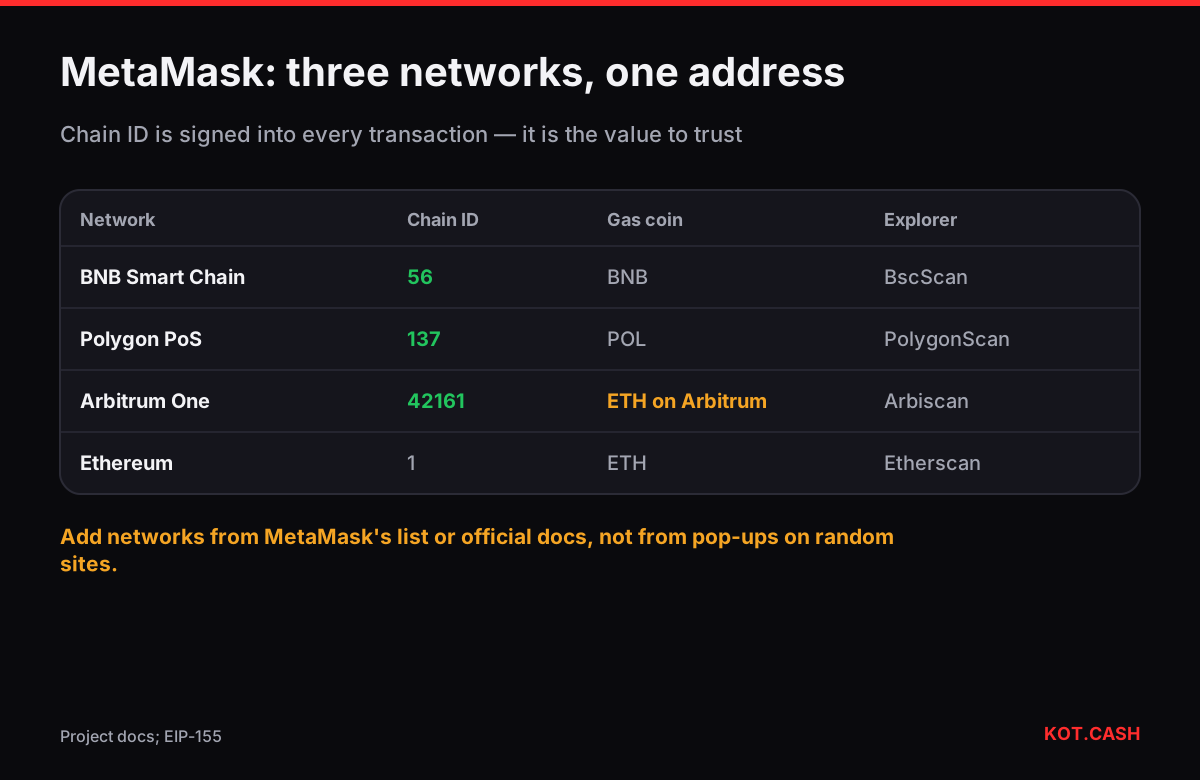
The quickest way to add BNB Smart Chain, Polygon or Arbitrum One to MetaMask in recent versions is the built-in list: open the network menu, choose Add network (or the "+" next to the list) and pick the network from Popular networks. MetaMask fills in the chain ID, RPC URL, currency and explorer for you. Manual entry is only needed for networks that are not on the list, and that is where mistakes and scams happen.
The parameters you need
| Network | Chain ID | Currency | Public RPC (from the project docs) | Explorer |
|---|---|---|---|---|
| BNB Smart Chain | 56 | BNB | https://bsc-dataseed.bnbchain.org | bscscan.com |
| Polygon PoS | 137 | POL | https://polygon-rpc.com | polygonscan.com |
| Arbitrum One | 42161 | ETH | https://arb1.arbitrum.io/rpc | arbiscan.io |
| Ethereum (for reference) | 1 | ETH | built in | etherscan.io |
The chain ID is the part that cannot be faked. Every EVM transaction is signed with the chain ID inside it (EIP-155), so a transaction signed for 56 is only valid on BNB Smart Chain. MetaMask checks that the RPC you enter actually reports the chain ID you typed and warns you if it does not.
Adding a network manually
- Open MetaMask, click the network selector at the top and choose Add a custom network (the wording varies by version).
- Enter the network name (any label you like), the RPC URL, the chain ID, the currency symbol and the block explorer URL from the table above or from the network's own documentation.
- Save. MetaMask queries the RPC; if the chain ID or currency does not match its records, it shows a warning — take it seriously.
- Switch to the new network. Your address stays the same 0x… string; only the balance shown changes.
Use the network's own docs or a well-known registry such as chainlist.org to cross-check values. Avoid adding networks from a pop-up on a random website: a dApp can request "add network" with any RPC it wants.
Why a fake RPC is a real risk
The RPC endpoint is the server that tells MetaMask your balance and broadcasts your transactions. A malicious RPC cannot sign anything for you or steal funds directly, but it can lie: show balances that do not exist, hide incoming transfers, report a fake token as valuable, or log your IP address with your addresses. Scammers use this to stage fake "deposits" in OTC deals. If something looks odd, check the address on the official explorer for that network — not in the wallet.
Gas on each network
After adding a network you still need its gas coin to send anything. On BNB Smart Chain gas is paid in BNB, on Polygon in POL (MATIC was migrated to POL in 2024; MetaMask may still show old labels on custom entries), on Arbitrum One in ETH on Arbitrum — ETH you hold on Ethereum mainnet does not pay Arbitrum gas. The gas fee calculator converts gas units and gwei into dollars for each, and the network fee comparison puts them side by side.
Getting funds onto the new network
There are three routes: withdraw from an exchange choosing that network; use a bridge; or swap directly into the coin on that network. On KOT.CASH the swap widget lets you choose, for example, USDT on BEP20 or ETH on Arbitrum as the payout, so the coins land on the network you just added, at your same 0x address. Check that you picked the right network in the widget — the same address field accepts all EVM networks.
Removing or editing a network
Networks you add stay in MetaMask until you delete them in Settings → Networks (or the network menu in newer versions). Deleting a network does not touch your funds: the coins stay on the chain at your address, and they reappear as soon as you add the network again. If a public RPC is slow or rate-limited, edit the network and replace the RPC URL with another endpoint listed in the project's docs — the chain ID must stay the same. Wallet-side problems such as a stuck "pending" status are often just an RPC that did not return the receipt; the explorer shows the real status.
One more check before the first transfer: make sure the explorer link MetaMask opens for a transaction is the official one. A custom network with a look-alike explorer URL can show fabricated confirmations just as a bad RPC shows fabricated balances.
Tokens do not show up after adding the network
MetaMask detects popular tokens on many networks but not all. If a token you received is missing, open Import tokens and paste the token contract address taken from the network's explorer or the issuer's website — never from a link someone sent you. USDT on BNB Smart Chain, Polygon and Arbitrum each has a different contract address.
FAQ
What is the chain ID of BNB Smart Chain?
56. Polygon PoS is 137, Arbitrum One is 42161, Ethereum mainnet is 1.
Will adding a network change my MetaMask address?
No. The same 0x address is used on every EVM network; only the balances differ.
Which coin pays gas on Polygon now?
POL. MATIC was migrated to POL in 2024 as the native gas token of Polygon PoS.
Can a bad RPC steal my crypto?
It cannot sign transactions for you, but it can show false balances and hide transfers. Verify important balances on the official explorer.
Do I need to add BNB Chain to receive BEP20 tokens?
No, tokens arrive on-chain regardless. You need the network in MetaMask to see and send them.