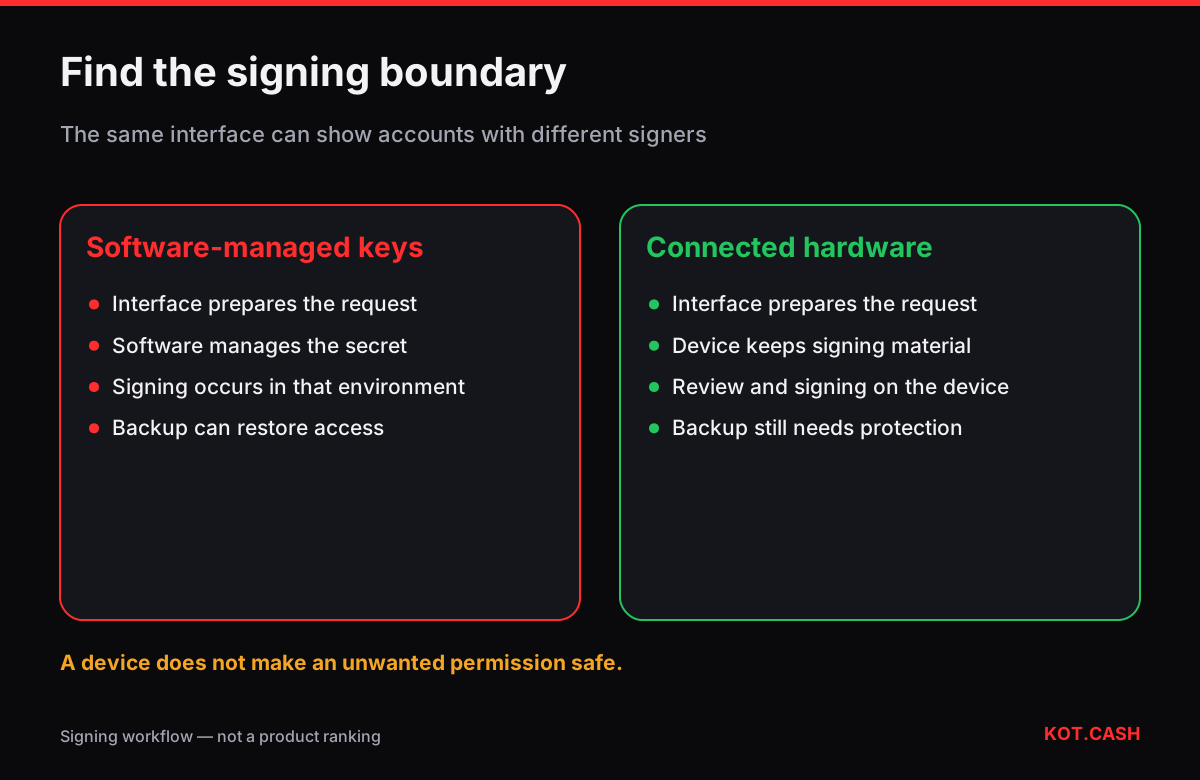
The practical difference is which component holds the signing key and authorises an operation. A self-custody software wallet can sign using keys managed on the phone or computer. In a hardware-wallet connection, a separate device signs while an app supplies the interface. Seeing the account in a browser does not by itself mean the browser holds that account's secret. Conversely, owning a hardware device does not protect a seed that has also been imported into ordinary software. This comparison follows the signing workflow; the separate hot-versus-cold guide covers storage terminology.
Follow the request from the screen to the signer
An account, an address and a wallet application are different things. The application helps construct and communicate an operation; the address identifies an account; control depends on the relevant keys. Ethereum's wallet overview explains these distinctions. A balance shown by an application is therefore a starting point for investigation, not proof that the application can independently authorise spending.
For a connected hardware account, the host prepares a request and the device performs the signing operation. Signed data can then leave the device for broadcasting. The secret signing material is intended to stay inside the hardware boundary. Trezor's cryptography explanation describes this separation. It protects a different part of the workflow from a phone's screen lock or an application's password.
| Configuration | Signing location | What to establish |
|---|---|---|
| Software-managed account | The app's key-management environment | How it was created and backed up |
| Connected hardware account | The separate signing device | Which connection and account were selected |
| Watch-only view | No signing authority in that view | Which actual signer controls the account |
| Hardware seed restored in software | Software now also has signing material | The previous isolation assumption no longer holds |
Connecting an account is not restoring its recovery phrase
A connection workflow lets the interface use a supported device. A recovery workflow reconstructs access from secret backup material. These are not interchangeable setup shortcuts. MetaMask's hardware-wallet configuration guide recommends generating the new backup on the device rather than importing the old software-wallet phrase. Copying an already exposed secret into new hardware does not erase its earlier exposure.
The interface may show several accounts with different signing methods. Check the selected account, not just the application's brand. MetaMask documents hardware integrations in its hardware-wallet hub. Compatibility depends on the device and interface combination; a familiar logo on a webpage does not establish that a connection is genuine.
Audit an existing setup without approving a payment
- Write down the public address and network you intend to inspect. Do not include any seed words or private keys in the note.
- Check whether the selected account was created in software, restored from a phrase, connected to hardware or added only for observation.
- Locate the current official instructions for that specific connection. Do not follow a recovery link supplied by an unsolicited message.
- Identify which screen would ask for confirmation and what details it can actually show. Do not approve a transaction just to satisfy a supposed support check.
- Record any uncertainty as an unresolved setup question. A balance display and a device nearby are not enough to resolve it.
This is a documentation exercise, not a request to send money. For example, an account labelled 'savings' might be a software account, while a less memorable address is the one connected to the device. Labels help navigation but do not change the signer. Resolving that mismatch before a real operation is more useful than comparing two brands by a generic security score.
A physical confirmation still needs an understood request
Key isolation does not decide whether the action is desirable. Read the destination, network, asset and requested action using the details available on the trusted device. If the device cannot explain the request sufficiently, stop rather than treating a button press as proof of safety. The manufacturer's security explanation describes the device confirmation boundary; it does not remove the need to inspect what is being authorised.
For ERC-20 tokens, an approval and a transfer are different operations. The ERC-20 specification defines allowances and delegated transfers. A previously authorised spender can use the granted allowance without a new hardware confirmation for each subsequent transfer. Review the actual permission, not only whether the device asked for a signature. The approval guide examines this separate issue.
The backup remains a second route to control
A device PIN and a recovery backup protect different situations. Someone who obtains usable backup material may reconstruct access without needing your physical device. Device loss and backup exposure therefore need different responses. Ethereum's security guidance emphasises protecting recovery material. A replacement device is useful only when the correct recovery material remains available and secret.
Keep a recovery plan that identifies the account setup without publishing its secrets. Record which official recovery instructions apply and whether an extra passphrase or another configuration choice is involved. Do not test recovery by uploading the backup to a website. If the only person who understands the setup leaves no usable instructions, an intact device is not a complete continuity plan.
Choose a workflow you can verify
Compare the actual operations you need: receiving, reviewing an address, authorising a token permission and recovering access. Ask where each decision happens and what would be exposed if the phone were compromised. There is no universal amount threshold that turns an unclear setup into a safe one. A device adds a signing boundary; the user still needs a comprehensible process.
- Separate the public interface from the component that can authorise spending.
- Distinguish connecting hardware from restoring secret backup material.
- Check the selected account and supported connection, not a label alone.
- Inspect permissions as well as ordinary payments.
- Maintain a private, usable recovery plan alongside device security.
FAQ
Is a browser interface always a software-held account?
No. An interface can display a connected hardware account or a watch-only view. Establish how that particular account signs; the window alone does not tell you.
Does importing the same seed into hardware secure its previous copies?
No. A new device cannot erase earlier copies or prior exposure. Follow the official setup process and treat the history of the secret as part of the assessment.
Can hardware stop a permission I deliberately approve?
It does not judge your intention. Some token permissions allow later delegated transfers. Understand the requested action and allowance before authorising it.
Do I need to send a test payment to identify my setup?
No. First inspect account type and official connection instructions without sharing secrets or approving a support request. A payment does not establish the origin of your keys.
Which question matters before comparing devices?
Determine what you need to sign, which interface supports it and how you will verify and recover the account. Product comparisons should follow those requirements.
Related on KOT.CASH
Sources
- ethereum.org/wallets/
- ethereum.org/security/
- trezor.io/learn/basics/what-is-cryptography
- trezor.io/blog/security/how-hardware-wallets-keep-your-crypto-safe
- support.metamask.io/more-web3/wallets/hardware-wallet-hub
- support.metamask.io/more-web3/wallets/user-guide-how-to-use-a-hardware-wallet
- eips.ethereum.org/EIPS/eip-20