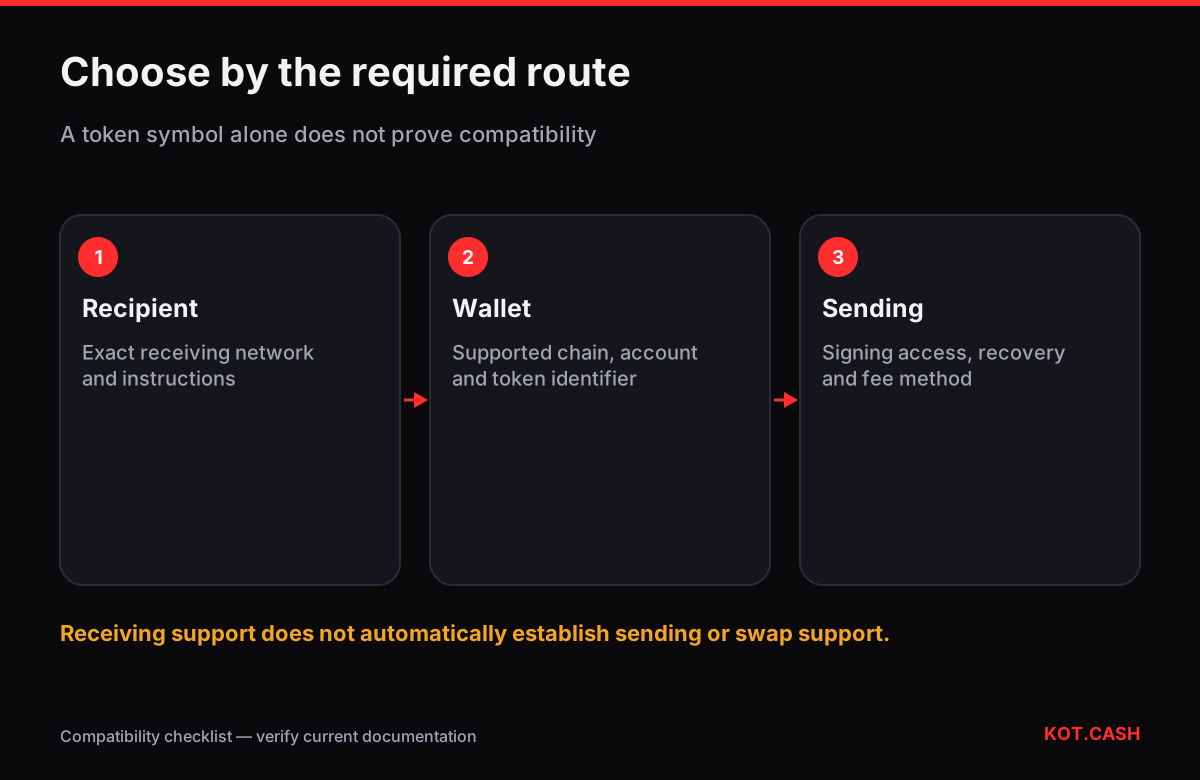
Choose a wallet that supports the exact USDT network you need to receive and later send, then check the token identifier, signing setup and fee method. A USDT logo is not a compatibility test. If the other party accepts only one network, a wallet offering USDT on a different one does not solve the requirement. There is no single brand that makes this check unnecessary. The useful starting point is a short description of the intended transfer, not an app-store popularity list.
Write the requirement before comparing apps
| Question | Evidence to collect | What remains unresolved without it |
|---|---|---|
| Which network must the recipient accept? | The recipient's current receive instructions | Whether the route matches |
| Which token is meant? | Issuer information and chain-specific identifier | Whether the displayed asset is the intended one |
| Who signs? | The selected account's setup and recovery process | Who can authorise spending |
| How is a send fee paid? | The wallet's actual confirmation screen and documentation | Whether the account can send later |
| How will access be recovered? | A private, verified recovery plan | What happens after device loss |
Use the issuer's supported-protocol page as a starting source for token identifiers. It distinguishes current protocols from historical entries. A name, symbol or copied picture does not establish identity. The list is not a promise that every wallet or receiving service supports each protocol; those are separate compatibility checks.
Three network examples, without assuming one fee system
Ethereum, TRON and Solana are examples of networks on which Tether lists USD₮. They are not interchangeable destinations just because the asset label is familiar. The wallet must show a receiving account for the selected chain, and the sending side must use that same chain. This article does not claim that a particular route is currently available at every exchange.
| USDT route | What to verify in the wallet | Underlying network context |
|---|---|---|
| Ethereum ERC-20 | Ethereum account and issuer-listed token contract | Ethereum gas is denominated in ETH |
| TRON TRC-20 | TRON account and correct token identifier | Bandwidth/Energy with the applicable TRX fallback |
| Solana token | Solana account and issuer-listed token mint | Solana transaction fees are paid in SOL |
The underlying rules are documented by Ethereum, TRON and Solana. These rules describe network settlement. They do not by themselves tell you whether a wallet sponsors a transaction, uses a fee payer or charges its user through another mechanism. Check the implementation rather than assuming every app requires the same top-up procedure.
An app can simplify fees without making the network irrelevant
For a concrete example, the official Tether Wallet FAQ describes fees handled through a Paymaster and shown in the token being sent. Its documented network list is also specific, not every protocol on the issuer's integration page. This is an example to investigate, not a universal recommendation. Verify the current route, account type, quote and supported use case before relying on that behaviour.
A useful distinction is between receiving tokens and being able to send them afterwards. Seeing the incoming balance does not prove that the next transaction is ready. Read the outgoing confirmation, including any sponsored-fee conditions or deducted amount. A claim of simpler fees should be assessed through the actual transaction workflow, not interpreted as an unlimited free-transfer promise.
Use official wallet documentation as evidence
For an Ethereum-style interface, MetaMask documents how token display and imports work. For a Solana-capable candidate, Phantom publishes its supported networks. These are useful starting documents, not proof that every similarly named asset is the correct USDT. Cross-check the selected chain and token identifier with the issuer and the receiving party.
Wallet interfaces evolve, and mobile and extension versions can differ. Record which platform you checked and avoid turning an old screenshot into a current compatibility claim. If a feature is missing from the documented version you actually use, do not assume a tutorial for another platform fixes it. A candidate can be suitable for one route and unsuitable for another.
A received token can be hidden, fake or simply on another chain
When the balance seems absent, first establish the network and account used. Token display is an interface issue; it does not move the asset between blockchains. Adding an identifier to a wallet is not a bridge. Similarly, displaying a token named USDT does not establish that it matches the issuer's identifier. Do not send additional money merely because an unsolicited message says that a balance needs activation.
Receiving, sending and swapping are separate capabilities
A receive address, a wallet's send function and a third-party swap are three different operations. Support for one does not establish the others. For an exchange, check its currently available asset/network combination rather than assuming that the wallet's menu determines the service's support. The supported-coins page is the appropriate place to begin checking KOT.CASH availability, not a generic wallet ranking.
If a service requires additional destination information, follow the instructions for that precise route. Do not infer it from a token symbol or another network's example. A format check can catch some mistakes, but the address validator cannot certify that a third party will credit the deposit. Keep the receiving instructions as the source of that requirement.
Reject an incompatible candidate before installing everything
- Obtain the receiving party's current network instructions without sharing secrets.
- Find the candidate wallet's official support for that network and platform.
- Match the asset identifier using authoritative information, not a screenshot from a message.
- Check account control, backup and the outgoing fee method.
- Resolve any missing requirement before treating the candidate as suitable.
Consider a simple compatibility example: a recipient requests TRON, while the candidate's documented USDT route is Ethereum. The fact that both display dollars does not create a match. The next step is to clarify compatible support, not to paste the address into every menu. This decision process remains useful when wallet names, fees and network lists change.
FAQ
Is any wallet with a USDT icon suitable?
No. Establish the exact chain, token identifier and recipient support. The same label does not make transfers across different networks interchangeable.
Do I always need a native coin balance to send USDT?
Ordinary network fees and the app's user-facing fee method are different questions. Some implementations sponsor or abstract fees. Verify the actual supported workflow and its conditions.
Does adding a custom token move it to another network?
No. Displaying a token identifier changes the interface's view. A cross-network movement is a separate operation with its own support and risks.
Which brand is cheapest?
That cannot be established from the brand name alone. Compare the actual route, amount, network conditions and complete displayed fee without assuming a permanent ranking.
Can an address validator confirm that an exchange will credit me?
No. A syntax check does not prove the receiving service supports the asset and network or has all required destination information.