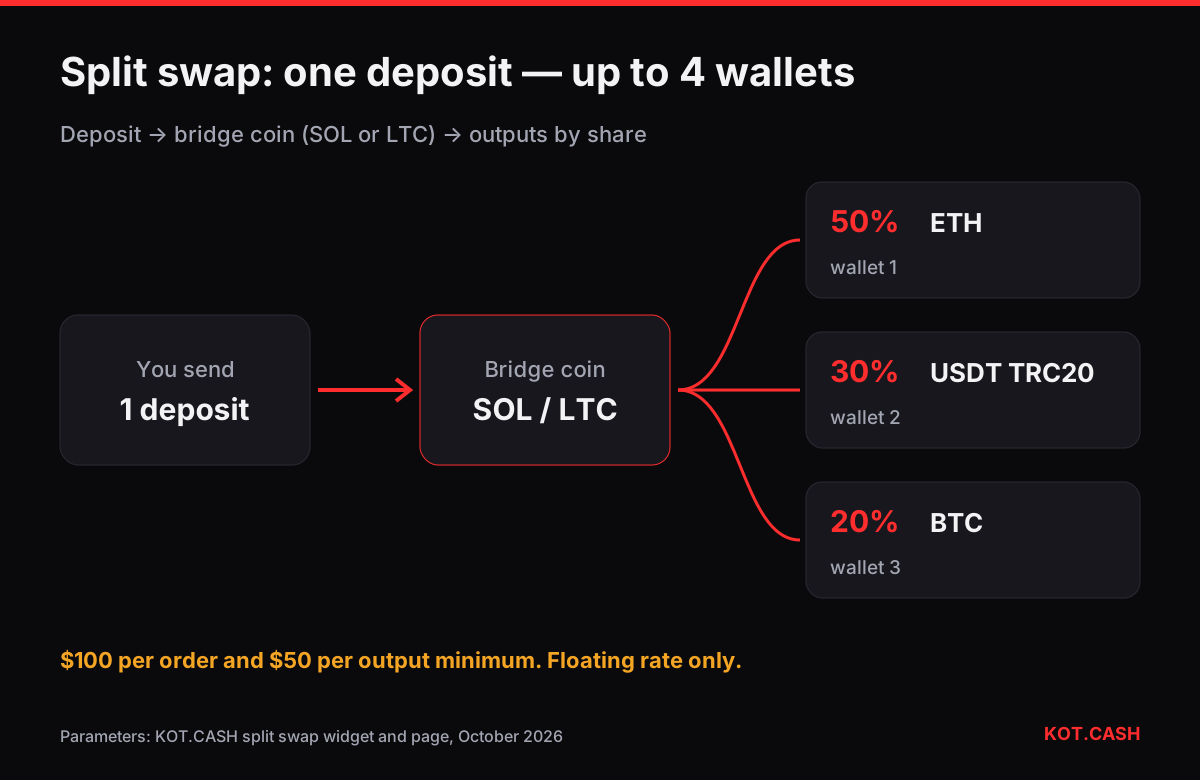
A split swap turns one deposit into several payouts: send BTC once and receive ETH in one wallet, USDT in another and SOL in a third. On KOT.CASH it runs in the Split Swap tab of the widget on the split swap page, with no account.
What split swap is
One input coin and two to four outputs. For each output you set the coin and network, the recipient address, a memo or tag if needed, and a whole-number share; shares must total exactly 100%. Output coins can repeat — for example USDT TRC20 to three different addresses.
How it works: two stages via a bridge coin
Your deposit is first swapped into a bridge coin (SOL, or LTC when you send SOL). The bridge amount is divided by your shares, and each part is swapped into its output coin and sent independently. Output amounts are calculated from the bridge amount actually received, so they are estimates, and the rate is floating only.
Limits and fees
| Parameter | Value |
|---|---|
| Outputs | 2 to 4 |
| Shares | whole percent, at least 1% each, 100% total |
| Order minimum | $100 equivalent |
| Per-output minimum | $50, checked after the first stage |
| Rate | floating only |
| Service fee | ~1% per stage: about 3% for two outputs, 5% for four |
| All-in guide | 4.5–7.5% depending on the number of outputs |
| Time | usually 5–30 minutes after the deposit arrives |
The all-in range from the split swap page also covers network fees of both stages; the per-output estimates in the widget summary are the most precise numbers. The $50 per-output minimum is the usual blocker — a $150 order split 70/20/10 fails on the 10% leg. More in split swap shares and minimums.
When to use it — and when not
Good fits: paying several people in different coins or networks from one deposit, spreading funds across cold, hot and exchange wallets, or diversifying into BTC, ETH and USDT in one go. Less good: two outputs you could send yourself (two simple swaps at 1% are usually cheaper), a single coin to a single address, or when you need an exact amount — split swap has no fixed rate. To route funds through an intermediate coin rather than split them, see multi-hop.
Step by step
- Collect every recipient address and check its network and memo.
- Open the split swap page and switch to the Split Swap tab.
- Choose the coin you send and the amount.
- Add up to four outputs with coin, network, address and memo.
- Set shares to 100%; the widget warns if an output is under $50.
- Review the bridge coin, estimated outputs and total fee, accept the terms and start.
- Send the exact amount to the deposit address in one transaction.
Order statuses
The order goes from waiting for deposit to deposit received, splitting, monitoring and complete. Outputs run independently, so one failed output does not cancel the others — the order shows “partial” and support settles that output. Contact support with the order link and do not resend the deposit. Our AML policy applies as for any swap.
FAQ
How many outputs can a split swap have?
Two to four, each with its own coin, network, address, optional memo and share.
What is the minimum?
$100 per order and at least $50 per output after the first stage.
How much does it cost?
About 1% service fee per stage (roughly 3% for two outputs, 5% for four); 4.5–7.5% all-in including network fees.
Can I send one coin to several addresses?
Yes, output coins can repeat.
Is there a fixed rate?
No, split swap is floating only.