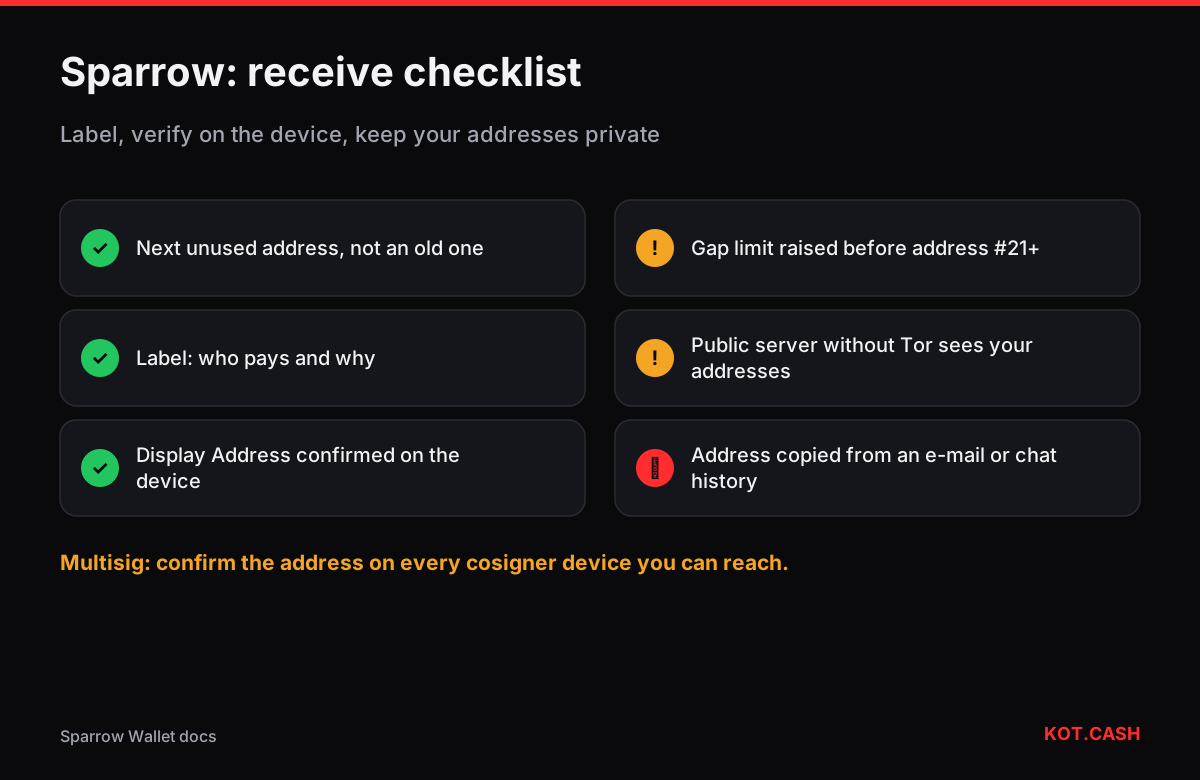
To receive in Sparrow, open the wallet, go to the Receive tab and Sparrow shows the next unused address with a QR code. Type a label for it (who is paying and why), and — if the wallet is backed by a hardware device — press Display Address to confirm the address on the device screen before you share it. Sparrow then watches that address and the ones after it and moves to the next fresh address once this one receives coins.
What makes Sparrow different
Sparrow is a desktop Bitcoin-only wallet built around transparency: it shows every UTXO, the full transaction structure before signing, and the output descriptor that defines your wallet. It usually acts as the interface for keys held elsewhere — a Ledger, Trezor, Coldcard, Passport, Jade or Keystone connected by USB, QR codes or SD card — though it can also hold a software key. That design matters for receiving: the address you share should be confirmed by the device that controls it, and Sparrow makes that one click.
Receiving step by step
- Open or create the wallet (File → New Wallet, then import the keystore from your device or create a software key).
- Click Receive in the left column. Sparrow shows the next unused receive address, its derivation path and a QR code.
- Enter a label. Labels follow the coins: later, in the UTXOs tab, you will see which coins came from whom.
- With a hardware wallet press Display Address and compare the address on the device with the one in Sparrow, character by character, including the middle.
- Copy the address or show the QR to the payer. Use Get Next Address for the next payer instead of reusing this one.
Before you share an address
- Is it fresh? Giving the same address to two payers links them publicly and makes your history easy to read.
- Is it labelled? Six months later the label is the only record of what a coin was for — useful for accounting and for coin control.
- Is it confirmed on the device? A screen check takes ten seconds and defeats malware that swaps addresses on the computer.
- Is the format right for the payer? Native SegWit (bc1q) is accepted almost everywhere; some older services still cannot pay Taproot (bc1p) addresses.
Gap limit in Sparrow
Like any HD wallet, Sparrow scans a window of unused addresses ahead of the last used one. The default is 20; if you generate many addresses without payments, raise it in Settings → Advanced → Gap Limit before handing out address number 21 or later. A wallet restored elsewhere with a smaller gap may otherwise miss coins sent to addresses far ahead. Write the gap you use next to your backup along with the descriptor.
Which server learns your addresses
A wallet must ask some server which addresses have received coins. Sparrow lets you choose: a public Electrum server (convenient, but that server sees your addresses and IP unless you use Tor), your own Bitcoin Core node, or a private Electrum server such as Fulcrum or electrs on your node. For receiving payments from many different people, connecting to your own node is the setting that keeps the list of your addresses to yourself.
Coin control after receiving
Every payment you receive becomes a separate UTXO. Many small UTXOs make later spending more expensive, because each input costs block space. Sparrow's UTXOs tab lets you pick which coins to spend and freeze ones you do not want to mix with others. When fees are low you can consolidate small coins in one transaction; the UTXO consolidation calculator shows whether that is worth it at today's fee rate compared to a likely future rate.
Multisig wallets
For a multisig wallet Sparrow derives each receive address from all cosigners' keys. Display Address then has to be confirmed on each device you can reach — at least one, ideally all — because a compromised computer could otherwise show an address built from an attacker's key. The multisig setup planner helps decide how many keys and devices you need.
Receiving a swap payout
For a KOT.CASH BTC payout, label the address "swap payout", confirm it on the device, paste it into the order form and keep the order page open. The payout hash appears there; Sparrow shows the transaction as soon as your server sees it in the mempool. Labels can be exported in the BIP329 format, so the record of where the coins came from survives a move to another wallet.
FAQ
Why does Sparrow show a different address each time?
It always shows the next unused address so that each payer gets a fresh one. Older addresses keep working.
Do I have to use Display Address?
It is optional, but it is the only way to be sure a compromised computer did not swap the address. Use it for anything that matters.
Where do I change the gap limit?
Settings → Advanced → Gap Limit in the wallet. The default is 20.
Does a public server see my wallet?
It sees which addresses you ask about and your IP unless you use Tor. Connect to your own node for privacy.
Can Sparrow receive USDT or other tokens?
No. Sparrow is Bitcoin-only.