In Trezor Suite you receive by opening an account, switching to the Receive tab and pressing Show full address. Suite then asks the Trezor to display the same address on its own screen; you compare the two and confirm on the device. Only after that does Suite reveal the address for copying and the QR code. For Bitcoin the account type decides the address format — Native SegWit (bc1q…) by default, Taproot (bc1p…) if you add a Taproot account.
The four Bitcoin account types
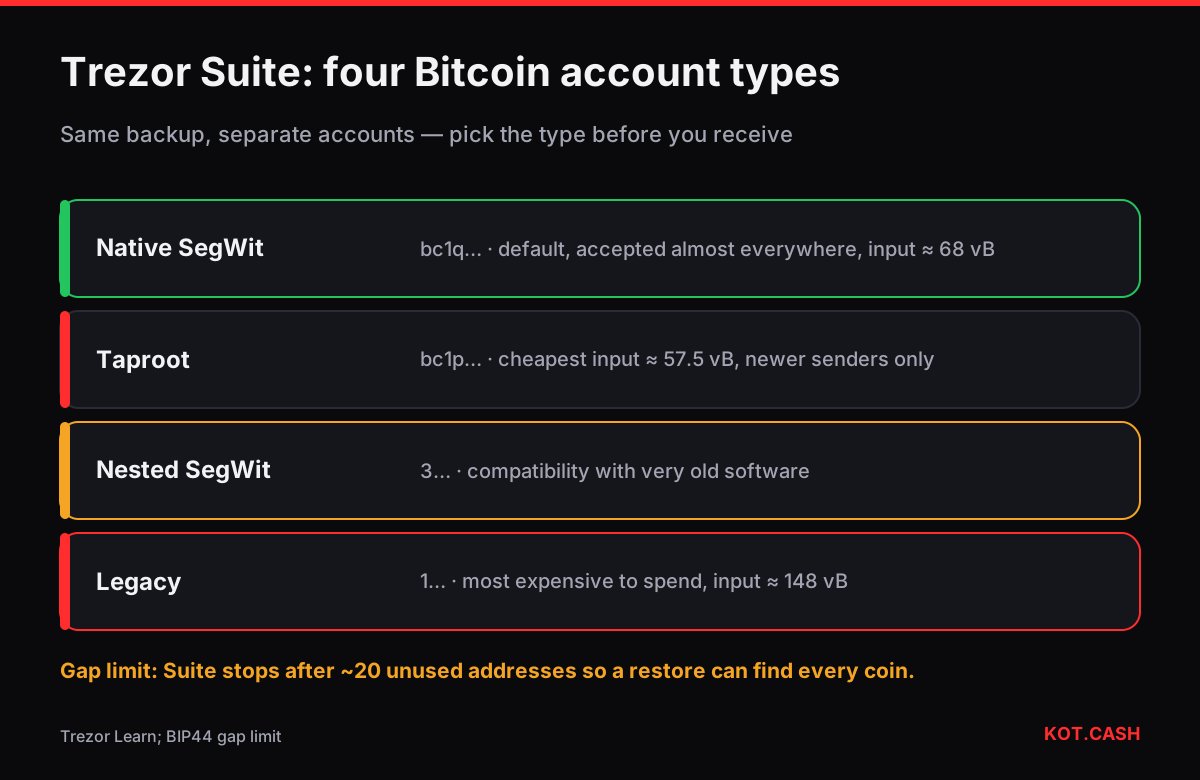
Trezor Suite creates Bitcoin accounts per address type. They all come from the same wallet backup, but each type is a separate account with its own addresses and balance. You can hold all four at once; sending between them is an ordinary on-chain transaction.
- Native SegWit — addresses start with
bc1q. The default in Suite, accepted by every modern exchange and swap service. - Taproot —
bc1p. The newest type, slightly cheaper to spend, but a few older services still cannot send to it. - Nested SegWit —
3…. A compatibility format from 2017; works with very old senders. - Legacy —
1…. The original format, the most expensive to spend later.
Receive step by step
- Connect and unlock the Trezor, open Trezor Suite (desktop app or the web version at suite.trezor.io).
- Pick the account in the left list — for example Bitcoin #1 (Native SegWit). To add another type, use + Add account and choose the type in the dropdown.
- Open the Receive tab and press Show full address.
- Read the address on the Trezor screen. Compare it with the address in Suite, including the middle. On Safe 3, Safe 5 and Model T the device may split the address into groups of four characters for easier reading.
- Confirm on the device. Suite now lets you copy the address and shows a QR code.
Trezor's own knowledge base describes the same flow and the reason for it: the computer could be compromised, the device screen is the trusted display. If the addresses differ, do not use the address.
Why Suite stops showing new addresses
Every receive shows the next unused address. After about 20 unused addresses in a row Trezor Suite stops generating more and suggests you reuse one of the shown addresses. That is the gap limit: wallets restore Bitcoin balances by scanning addresses in order and stop after 20 consecutive empty ones. If you handed out address number 25 and got paid there, a wallet restored from the backup with default settings might not see it. Suite enforces the limit so your funds always stay discoverable after a restore.
Practical rule: one fresh address per payer is good for privacy, but do not click through twenty addresses "just to see" and then give out the last one.
Other coins in Suite
For Ethereum, ERC20 tokens are received at the Ethereum account's 0x address; USDT and USDC ERC20 appear inside the Ethereum account. EVM networks such as Polygon, BNB Smart Chain or Arbitrum show the same 0x address in their own accounts, with separate balances. For coins Trezor Suite does not support natively, Trezor works through third-party wallets — the receive address is still confirmed on the device.
| Situation | Recommended account | Why |
|---|---|---|
| Everyday BTC receiving | Native SegWit (bc1q…) | Accepted almost everywhere, cheap to spend |
| You want the lowest future spending fee | Taproot (bc1p…) | Input ≈ 57.5 vB vs 68 vB for SegWit |
| Sender cannot pay to bc1 addresses | Nested SegWit (3…) | Compatible with very old software |
| Legacy tooling only | Legacy (1…) | Most expensive to spend (≈148 vB input) |
The difference in spending cost is visible in the Bitcoin fee calculator. For small amounts also check the dust limit calculator: a tiny output on a legacy address can cost more to spend than it is worth.
Receiving a swap payout
When KOT.CASH pays out BTC, use an address you confirmed on the Trezor and paste it into the order form; every bc1q, bc1p, 3 or 1 address is accepted. The payout is one on-chain transaction, and Suite shows it as incoming after the first block. Hidden wallets (passphrase wallets) have entirely different addresses: if you received to a passphrase wallet, you must enter the same passphrase to see the funds.
Labels help later. Suite lets you name an address or an account ("Salary", "Swap payout October"); with labelling enabled the names are stored encrypted, so you can tell incoming payments apart without exposing them on a shared computer.
FAQ
Do I need the Trezor connected to receive?
To see and confirm the address, yes. Funds arrive on the blockchain whether or not the device is connected.
Why can't Trezor Suite create more addresses?
It stops at the gap limit of about 20 unused addresses so that a wallet restore can always find your funds. Reuse a shown address or wait until one receives a payment.
Which Bitcoin account should I use?
Native SegWit works everywhere and is cheap. Taproot is slightly cheaper to spend. Legacy types are only for old senders.
I received BTC but do not see it in Suite.
Check the right account type is added and, if you use a passphrase, that you opened the same hidden wallet. Look the address up in a block explorer.
Can I receive USDT on a Trezor?
USDT ERC20 is received at the Ethereum account's address. Other networks depend on which wallet software supports them together with Trezor.