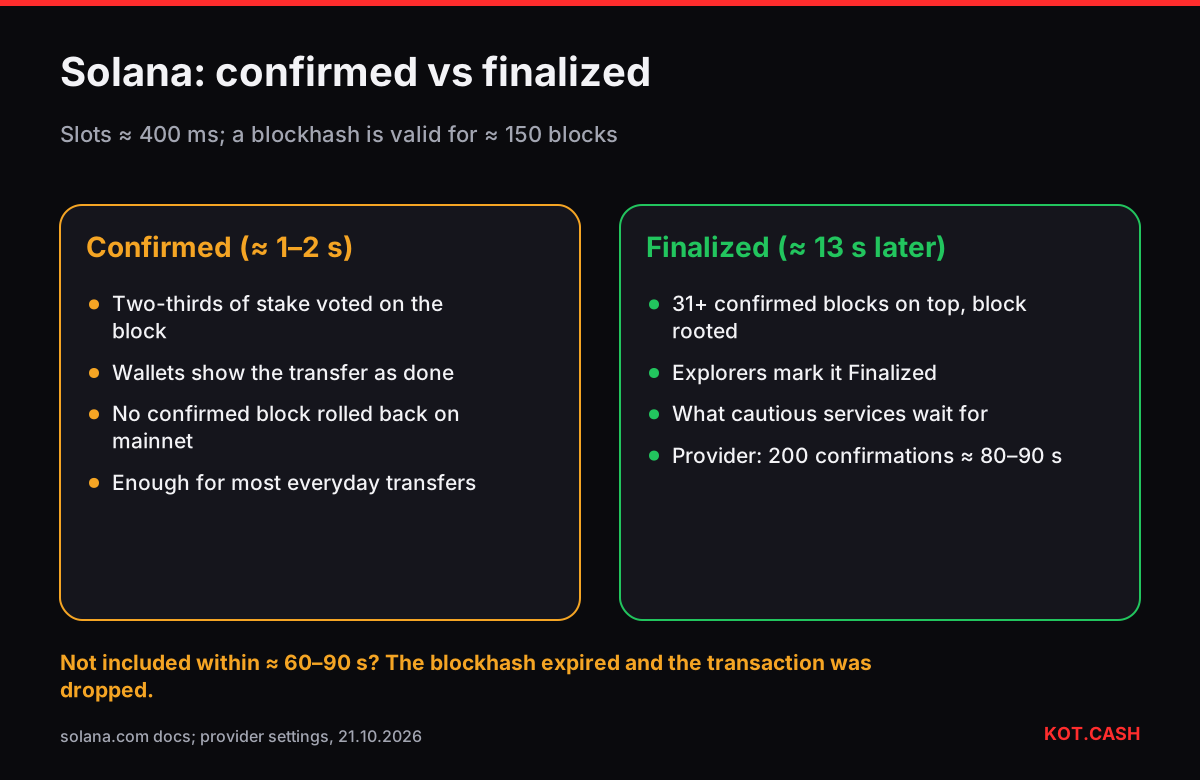
A Solana transaction that lands is usually processed within a second, 'confirmed' by a supermajority of stake in about a second more, and 'finalized' roughly 13 seconds later, when 31 more blocks have been built on top. Solana's slots are about 400 milliseconds long. The catch is that Solana transactions do not wait in a long queue the way Bitcoin or Ethereum transactions do: if one is not included within about a minute, it expires and is dropped. That is why 'my Solana transaction disappeared' is a more common complaint than 'my Solana transaction is pending'.
Three commitment levels
Solana nodes report a transaction's status at three levels of commitment. Wallets usually show 'confirmed' as done, explorers show the level next to the status, and services that receive deposits pick the level they trust.
- Processed — the transaction is in a block the node has seen. That block may still be skipped by the cluster.
- Confirmed — at least two-thirds of stake has voted on the block (optimistic confirmation). Typically one to two seconds after submission. No confirmed block has ever been rolled back on mainnet.
- Finalized — the block has 31 or more confirmed blocks on top of it and is rooted. About 12–13 seconds after confirmation.
The liquidity provider behind KOT.CASH waits for 200 confirmations on Solana deposits — roughly 80–90 seconds at current slot times. That is far beyond finalisation and acts as a safety margin against node lag and skipped slots.
Why Solana transactions get dropped
Every Solana transaction carries a recent blockhash that proves it was created recently. Validators accept a blockhash for 150 blocks — about 60–90 seconds. If the leader schedule, network load or a slow RPC endpoint keeps the transaction out of a block for longer than that, it can no longer be processed and simply vanishes. Nothing is charged, nothing moves.
Wallets handle this by re-sending the transaction while the blockhash is valid and, on failure, building a new one. When it fails anyway, you see errors such as 'Blockhash not found' or 'Transaction expired'. Check your balance, then send again — a dropped transaction cannot be 'stuck'.
Priority fees: paying to get in during busy periods
The base fee is 5,000 lamports (0.000005 SOL) per signature. On top of that a transaction can set a compute unit price in micro-lamports; the priority fee is that price times the compute units it requests. During congestion — popular token launches, for instance — leaders favour transactions with higher priority fees, and wallets like Phantom raise them automatically. A typical priority fee is still a fraction of a cent. The priority fee calculator shows the arithmetic for any setting.
A failed transaction is not a dropped one
A transaction can also land and fail: a swap whose slippage limit was exceeded, a transfer to an account that cannot receive the token, an instruction error in a program. Failed transactions are recorded on-chain and the fee is charged. Solscan shows them with status Fail and an error message. Unlike a dropped transaction, a failed one has a hash you can open — that is the quickest way to tell the two apart.
Rent can block a transfer, too
Sending less than 0.00089088 SOL to a brand-new address fails, because the destination account would not be rent-exempt. Sending tokens to a wallet that has no token account for them requires the sender to create one, paying about 0.00204 SOL. Most wallets do this automatically and show the extra cost. The rent-exempt calculator lists the minimums.
How explorers show the timing
Solscan and Solana Explorer list the slot number, the block time and the confirmation status — 'Finalized' with a count of confirmations, or 'Confirmed' while it is still young. If you compare the block time with the moment you pressed Send, the gap is usually under two seconds. A larger gap means the wallet retried a few times before the transaction landed; nothing to worry about as long as the status is Success. The fee line shows the base fee and any priority fee you paid, in SOL.
Timing in a swap involving SOL
Sending SOL to a SOL to USDT order takes about 80–90 seconds for the provider's 200 confirmations, then a minute or two of processing. Receiving SOL from a USDT to SOL order is the fast part: the payout is in a block in under a second and finalized in about 13 seconds.
FAQ
How long does a Solana transaction take?
Usually about a second to be confirmed and about 13 seconds to be finalized.
What is the difference between confirmed and finalized on Solana?
Confirmed means two-thirds of stake voted on the block; finalized means 31 or more confirmed blocks were built on top and the block is rooted.
Why did my Solana transaction disappear?
Its recent blockhash expired before it was included, about 60–90 seconds. It was dropped, nothing was charged, and you can send again.
How many confirmations do Solana deposits need?
The provider behind KOT.CASH waits for 200, about 80–90 seconds. Exchanges choose their own thresholds.
Do priority fees make Solana faster?
They make inclusion more likely during congestion. On a quiet network they make little difference.